Anúncios
Many people believe that only expensive devices can deliver a good experience, but the reality may surprise you.
It’s possible to run high-quality games even on more modest hardware. The secret lies in understanding how to optimize your device’s settings to extract the best possible performance.
Today, we’ll demystify this idea and show that fun should always come first.
Anúncios
Understanding Roblox’s Technical Requirements
Understanding how your phone handles Roblox is the secret to a smooth gaming experience. Many users try to run the game without knowing if their device can handle the load, which leads to frustration.
Knowing the basic technical requirements helps adjust your expectations before starting a game, allowing you to identify if your device is ready for the challenge or if it needs some adjustments.
What the game really demands from the hardware
Roblox is a dynamic platform that demands a lot from your smartphone’s hardware. When you enter a map, the system needs to load textures, 3D models, and complex scripts in real time.
Anúncios
If your phone doesn’t have enough processing power, the game may experience lag or unexpected crashes. The processor and RAM work together to ensure everything runs smoothly during your gameplay.
Difference between processor and RAM
It’s common to confuse the functions of these two components, but they have very distinct roles. The processor acts as the brain of the device, responsible for performing all the mathematical and logical calculations of the game.
RAM, on the other hand, acts as a temporary workspace, holding the data that the processor needs to access quickly so that Roblox doesn’t have to reload everything from internal storage every second.
When RAM is full, the system starts discarding information, which causes visible freezes. Therefore, balancing the use of these two resources is fundamental to maintaining a stable experience on any device.
How to check if your device is compatible
Performing this check before starting the download is a smart step that avoids frustration and unexpected crashes during your fun.
Checking the specifications in the system settings
To find out if your device is ready for the challenge, access your phone’s “Settings” menu. Look for the “About phone” or “Device information” option, where you will find crucial hardware details.
On this screen, check the amount of available RAM and the processor model, which are fundamental to ensuring that Roblox runs smoothly, allowing you to explore virtual worlds without constant interruptions.
The importance of the operating system version
In addition to hardware, keeping your operating system updated is a determining factor for successful installation.
Frequent updates bring security improvements and optimizations that help the software communicate better with the device’s internal components.
An outdated operating system can cause serious incompatibilities, preventing the game from opening or causing sudden crashes. Always check for new versions available in your device’s update settings to ensure the best possible experience.
Essential adjustments to improve Roblox performance
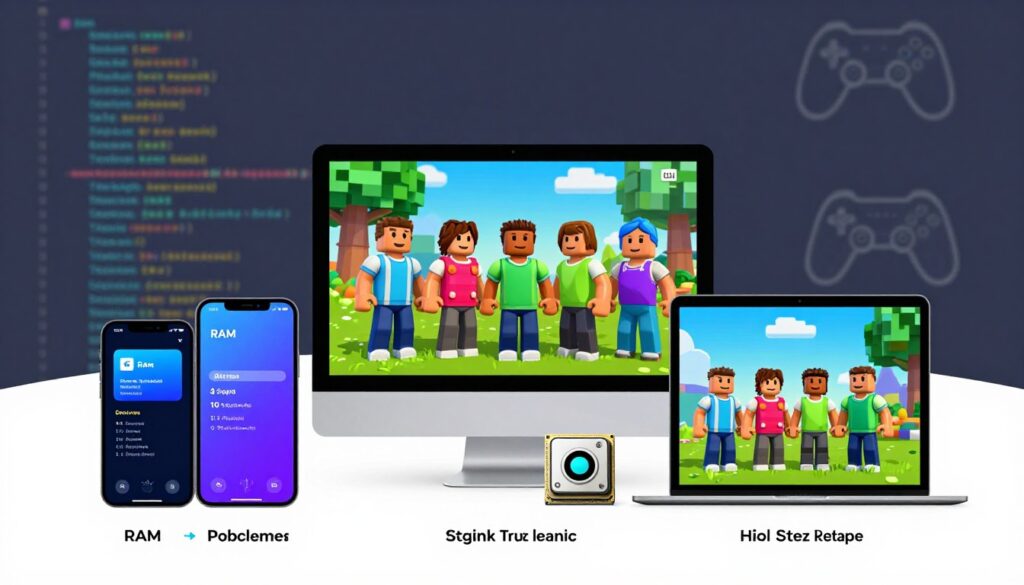
If your device struggles to run Roblox, manual optimization is key to success. When performance isn’t as expected, manually adjusting the graphics settings can make a huge difference in the smoothness of your gameplay.
These small changes are essential for those using a low-end phone who want a more consistent experience.
Manually Reducing Graphics Quality
The first step to gaining frames per second is to adjust the visual quality directly in the game menu. Reducing the graphics fidelity eases the load on your device’s processor and graphics card.
To make this adjustment, follow these simple steps:
- Open the settings menu during a match.
- Locate the “Graphics” tab.
- Switch the mode from automatic to manual.
- Lower the graphics quality slider to the lowest possible level.
Disabling unnecessary visual effects
Beyond overall quality, there are specific effects that consume a lot of resources. Disabling these options helps keep the game stable, even during moments of intense on-screen action.
- Dynamic shadows, which require a lot of processing power.
- High-resolution textures that overload RAM.
- Complex particle effects in highly detailed environments.
- Advanced lighting that causes slowdowns on basic devices.
The Impact of Internet Connection on Smoothness
Did you know that your connection can be the deciding factor for smoothness in Roblox? Often, players focus only on the hardware, but forget that the network is the bridge between their device and the game servers.
An unstable internet connection can cause freezes that seem like processing problems, but are actually communication failures. Therefore, ensuring a good connection is essential for running games without frustrating interruptions.
Wi-Fi versus mobile data on basic devices
On more basic devices, the choice between Wi-Fi and mobile data makes all the difference. A Wi-Fi signal is usually more stable, avoiding the abrupt fluctuations that frequently occur on mobile networks.
Mobile data can suffer from external interference, such as changes in tower or physical obstacles. To maintain stability, consider these practical tips:
- Stay close to the router to avoid signal loss.
- Avoid heavy downloads on other devices during the game.
- Prefer 5GHz networks if your router allows it.
- Disable Wi-Fi power saving mode on your mobile phone.
How Latency Affects Gameplay on Heavy Maps
Latency, also known as ping, is the time it takes for your command to reach the server. When latency is high, you’ll notice a visible delay between touching the screen and your character’s action.
On heavy maps, which have many objects and complex scripts, this delay becomes even more evident, potentially turning a fun experience into something extremely difficult to control.
Keeping latency low is the key to reacting quickly to the game’s challenges. When the connection is optimized, fluidity increases and you can better enjoy every detail of the virtual environment.
Background Application Management

The secret to smooth gameplay often lies in what you don’t see. Many hidden processes can be stealing your device’s energy, hindering your performance during matches.
When you open Roblox, the system needs free resources to process the game’s graphics and physics. If you have many background applications active, the operating system will have difficulty prioritizing what really matters.
Freeing up RAM for better game performance
RAM is a limited resource on simpler devices. To ensure the game runs smoothly, you should manually close programs that are not currently in use.
Check your list of recent applications and close anything that is not essential, freeing up memory space and allowing the processor to fully focus on your in-game experience.
Impact of social networks and messaging apps on performance
Social networks and messaging apps are major culprits when it comes to resource consumption, often running constant services to retrieve notifications, which consumes RAM and processing power even when you are not using them.
To maintain stable performance on your mobile phone, consider the following tips before you start playing:
- Completely close social media apps like Instagram and Facebook.
- Temporarily disable notifications from resource-intensive messaging apps.
- Use your device’s built-in “system cleanup” function.
- Avoid leaving browsers with many tabs open simultaneously.
- Restart your phone occasionally to clear persistent processes.
Tips for Choosing Lighter Maps
If your phone struggles to run games, choosing the right map is your greatest ally. Not all creations on the platform are created equal, and selecting suitable environments can transform your fun.
Optimization begins even before you click the enter button. By choosing scenarios designed for mobile devices, you guarantee a much smoother and more stable gaming experience.
How to Identify Optimized Mobile Experiences
Many developers indicate when a map is lightweight. Look for descriptions that mention mobile device support or a low polygon count.
Also, observe popularity and user reviews. Maps that run well on simple devices often receive praise for their performance, which is a great indicator for those seeking Roblox without lag.
Avoiding Servers with Excessive Scripts and Objects
Some maps overuse complex visual effects and heavy scripts that overload the processor.
If you notice that loading takes too long or that the game closes unexpectedly, that environment is probably not ideal for your hardware.
Avoid locations with many dynamic items or excessive flashing lights. Prioritizing lightweight maps helps keep your phone’s battery longer and prevents overheating during gameplay.
Conclusion
Running Roblox on a modest mobile phone is an achievable goal with the right strategies. The secret lies in balancing hardware maintenance with smart choices of experiences within the platform.
You don’t need a cutting-edge smartphone to have fun. Small daily adjustments ensure Roblox runs smoothly and stably.
Keep your device clean and free of unnecessary processes, extending its lifespan and improving performance on any map you choose.